


Rocketfoot
Members
-
Joined
-
Last visited
Everything posted by Rocketfoot
-
Excellent! big red error message give me anxiety! Thanks!!
-
I clicked DELETE to delete the migratio n data on the Migration page and this error popped up: SELECT step FROM ibf_garagemigration_progress AS garagemigration_progress WHERE step!='finished' IPS\Db\Exception: Table 'bigmackt_ipb.ibf_garagemigration_progress' doesn't exist (1146) #0 /home/bigmackt/public_html/system/Db/Select.php(402): IPS\Db->preparedQuery('/*bigmackt_ipb:...', Array, true) #1 /home/bigmackt/public_html/system/Db/Select.php(598): IPS\Db\Select->runQuery() #2 [internal function]: IPS\Db\Select->count() #3 /home/bigmackt/public_html/applications/garagemigration/modules/admin/migrate/create.php(52): count(Object(IPS\Db\Select)) #4 /home/bigmackt/public_html/system/Dispatcher/Controller.php(139): IPS\garagemigration\modules\admin\migrate\create->manage() #5 /home/bigmackt/public_html/applications/garagemigration/modules/admin/migrate/create.php(38): IPS\Dispatcher\Controller->execute() #6 /home/bigmackt/public_html/system/Dispatcher/Dispatcher.php(169): IPS\garagemigration\modules\admin\migrate\create->execute() #7 /home/bigmackt/public_html/admin/index.php(15): IPS\Dispatcher->run() #8 {main}
-
Is there something to finalizing the migration or just making sure it is finished the way I want it to be...and then uninstall the Migration tool?
-
I think what happened is that twice I added a test vehicle and then deleted them but the counter still shows 2. Deletion didn't reset the post profile counter maybe? Thanks! RF
-
Just wondering if I can delete the Migration app after everything is run and migrated properly or does it need to stay in the application list?
-
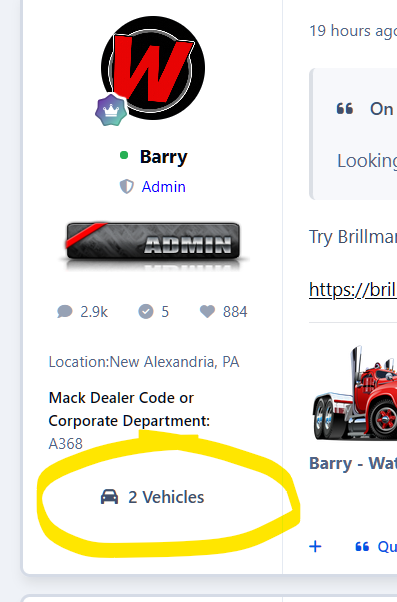
Search index rebuild finished up overnight but the 2 vehicle count is still there...
-
In the new vehicle form, the dropdown only allows for vehicle years down to 1926 but I have members with trucks that go back to 1900. Is there a way to change the dropdown to 1900 - 2026?
-
I just noticed that my post profile shows 2 vehicles but when I click on the link, there are no vehicles added under my profile (which is true...I do not have any added at the moment) Is there a way to run a recount or something?
-
Sorry! 1 last thing I noticed is that I was able to post a new vehicle as a Guest. I double checked and I have the permissions set to view and read but not to post or comment!
-
I also noticed that when editing a member's vehicle, I tried to change the category that it was listed in but it did not change after SAVE. I was able to move it from the select box from category view.
-
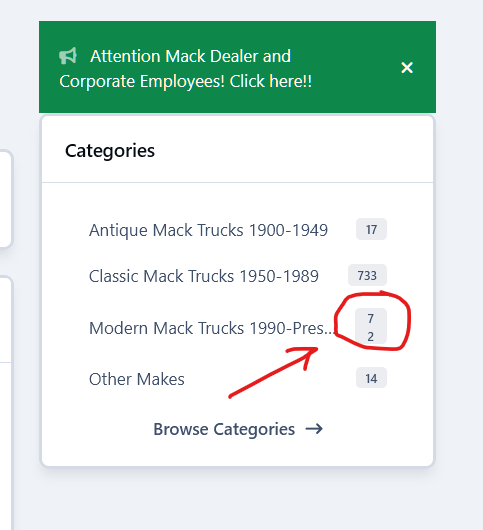
I did some testing this morning and discovered that the core Year, Make and Model are being used to compose the title. I deleted my custom year, make and model fields since they are redundant but I was worried that it would remove the info from the migrated titles but it didn't! So I think everything is OK at this point. The only things I noticed are that the new vehicle form fields do not match the order of the vehicle display listings (maybe not a big issue but would be a nice touch) and the side bar widget has an extra line return or something between the item count on one of my categories...see screen shot.
-
I sent a PM with acp details so you can take a look if you have time. I reinstalled and migrated data but it still has a bunch of duplicates in the add form and reorder issues.
-
OK but doesn't it seem like it is pulling the info in to the wrong custom fields? I did change make, model and vin from field 17, 18 and 19 I think it was.
-
I deleted year and description and they are also gone from the truck listing on the live side...
-
I can delete the custom fields and the existing data will be fine?
-
Yes...there are 2 YEAR entries in the form and the core description field that seems out of place.
-
I have guest permissions turned on so you should be able to see it
-
sorry, it is the add new vehicle form that has different fields
-
Year Edit Copy Delete Make Edit Copy Delete Model Edit Copy Delete VIN Edit Copy Delete Description Edit Copy Delete Engine Edit Copy Delete Transmission Edit Copy Delete Suspension Edit Copy Delete Wheel Base Edit Copy Delete Front Wheel Type Edit Copy Delete Rear Wheel Type Edit Copy Delete Front Tire Size Edit Copy Delete Rear Tire Size Edit Copy Delete Vehicle Weight Edit Copy Delete Application Edit Copy Delete Color Edit Copy Delete Mileage Edit Copy Delete Odometer Unit Edit Copy Delete Other Comments And here is a link to a live vehicle that converted over... BigMackTrucks.com1968 Mack F785STTandem tractor
-
While I am waiting for my host to dig up the error logs, I noticed that there are different entries in the vehicle details from the live version and the Add Vehicle form...how can I make them match?
-
OK...that helped! Backgroun processes burned through all the tasks except Rebuild Garage Thumbnails then is crashed the server with a 500 error: The server at www.bigmacktrucks.com sent back an error: 500 Internal Server Error
-
Here is a entry from my error log: INSERT INTO ibf_garage_fields_data ( field_id, member_id, vehicle_id, value ) VALUES ( NULL, 1, 1, '0.00' ) Column 'field_id' cannot be null
-
I clicked run manually and this popped up! 1S111/1 Column 'field_id' cannot be null
-
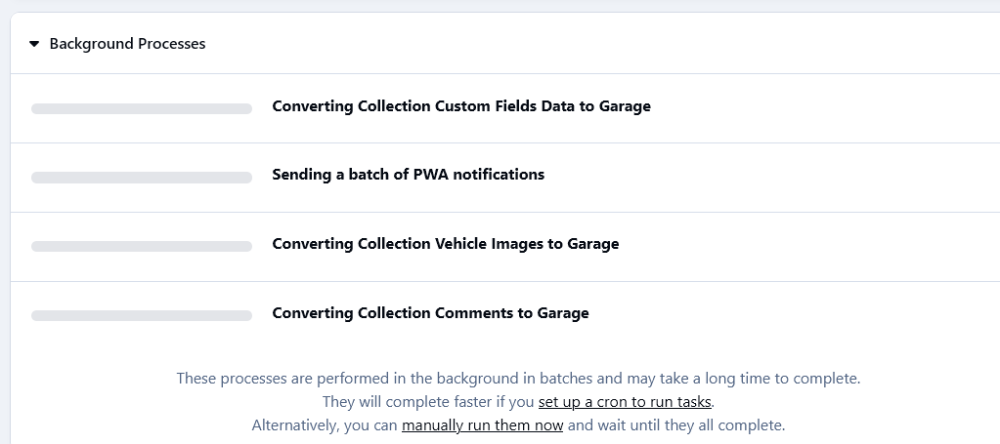
Ok thanks! Everything looks good so far. I have 3 background processes for the garage but they haven't moved since I got it installed. Is that normal?
-
OK sweet! I don't see a menu link to the Garage on the front side? Do I need to add it or will it appear when the migration is complete?
