


Rocketfoot
Members
-
Joined
-
Last visited
Everything posted by Rocketfoot
-
I uploaded the migration app and started it from the acp... Garage MigrationMigration in progress. Nothing to see here.
-
OK! I uninstalled the first attempt and reinstalled with success! Now how to do the migration?
-
I tried earlier but not after the garage file delete
-
Ok...I deleted the garage tables and re-installed you app...now I got this error: 1S111/1 Table 'bigmackt_ipb.ibf_garage_vehicles' doesn't exist
-
I got the backup exported! Does your app convert collection tables only?
-
What is the quickest way to do a database backup? Sorry, I don't do this stuff everyday, LOL
-
Yes...I think the garage tables may have been from an earlier install. So delete garage tables and then reinstall your app...Garage first then migration app?
-
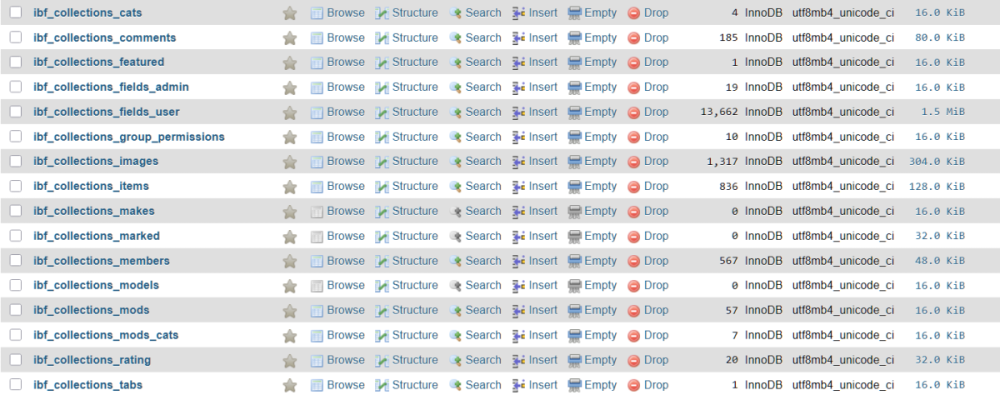
This is what I have for _collections_ tables
-
No...I installed the garage app. I haven't tried to install the migration app yet
-
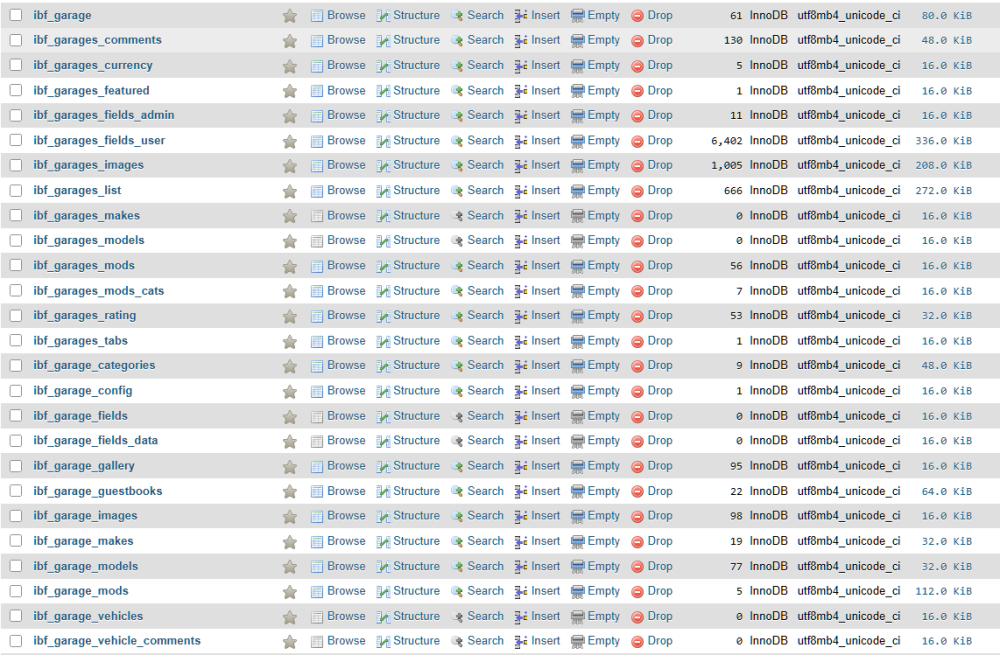
This is a screen shot of my existing garage tables...
-
Also this error: 1S111/1 Unknown column 'name' in 'ibf_garage_categories'
-
Hi, I just purchased and installed Garage but I got this error: Sorry, you do not have permission for that!1S111/1 Incorrect table definition; there can be only one auto column and it must be defined as a key I also can't seem to delete it from my apps menu. What should I do to get this installed and then I need to run the Collections migration tool as well.

